Why QR codes are back
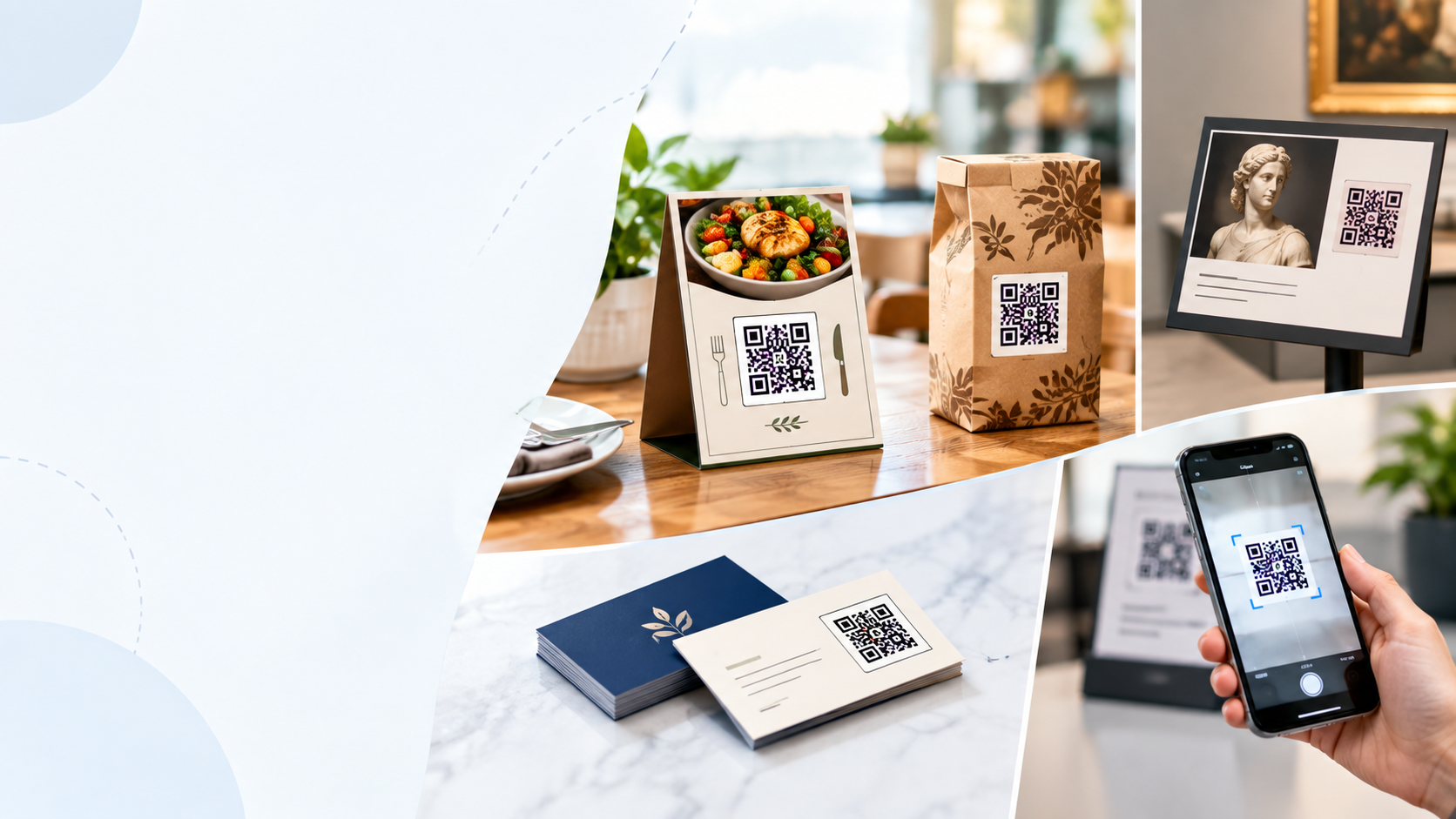
QR codes were invented in 1994 for tracking car parts in Toyota factories. Twenty years later they were declared dead. Twenty years and one global pandemic later, they're everywhere again — on restaurant tables, on TV ads, on business cards, on packaging, even on gravestones.
The reason is simple: every modern phone scans them natively. No app download. No special hardware. Just point the camera and go. That frictionless experience is what killed the "QR codes are dead" narrative.
But most people still use QR codes the same way: "scan this to open our website." That's fine, but it's the least creative use of the format. Here are seven ways to use QR codes that go beyond links.
All of these use cases work with the QR Code Generator. Free, no signup, and everything runs in your browser.
1. Restaurant menus (that update instantly)
Restaurant menus are the poster child of QR codes. Instead of printing new menus every time prices change, you print one QR code per table and update the menu online.
Here's the setup:
- Host your menu on a simple web page (Google Docs, Notion, or a proper menu platform).
- Generate a QR code pointing to that page.
- Print the QR code on table tents, placemats, or window clings.
- Update the menu whenever you change a price, add a dish, or run a special.
The advantage is real: no reprinting costs, no outdated items, and customers can bookmark the page for next time. The disadvantage is that some customers hate it. If you go the QR route, keep a few printed menus on hand for people who prefer them.
Use a static QR code, not a dynamic one. Static codes never expire, so they'll keep working even if a redirect service shuts down. The only tradeoff is you can't change the destination URL later — so point to a page you control, and edit the page instead.
2. Product packaging with bonus content
A QR code on product packaging can turn a one-time purchase into an ongoing relationship. Instead of a static "thanks for buying" card, you give the customer a reason to scan.
Ideas that actually work:
- Setup videos — for products that need assembly or onboarding.
- Warranty registration — skip the paper card and let customers register in 10 seconds.
- Recipes or usage ideas — especially for food and craft products.
- Replacement parts — one scan to order the refill or spare part.
- Exclusive content — a short video, a wallpaper, or a discount code for the next order.
Packaging QR codes work best when the value is immediate. If the customer has to sign up for something before they get the reward, most won't bother.
3. Digital business cards
A QR code on the back of your business card can hand over your entire contact record in one scan. The QR encodes a vCard — a standardized contact format that phones can import directly into their address book.
What gets transferred:
- Name and job title
- Phone numbers (mobile and office)
- Email addresses
- Company name and website
- Physical address
- Profile photo (optional)
This is one of the highest-value QR uses for freelancers, salespeople, and anyone who networks regularly. When someone scans the code, their phone asks if they want to add the contact — one tap and it's saved.
Put the QR code on the back of the card, not the front. The front should be your name and brand. The back is prime real estate for the code and a short "scan to save my contact" label.
4. Event check-in and badges
QR codes have mostly replaced the paper sign-in sheet at conferences, workshops, and networking events. Each attendee gets a unique code, either printed on their badge or emailed as a digital ticket.
How it works on the day:
- Attendees show their code at the door.
- Staff scan it with a phone or tablet.
- The system marks them as checked in and prints or hands over a badge.
The advantage is speed. A QR check-in line moves three to five times faster than a name-lookup line. And you get a clean attendee list in real time, without typing anything.
5. Wi-Fi access without typing passwords
Typing a 16-character Wi-Fi password on a phone is painful. A QR code can encode the network name and password so guests can join with a single scan.
The QR code format for Wi-Fi is:
WIFI:T:WPA;S:YourNetworkName;P:YourPassword;;Broken down:
T:WPA— the security type (WPA, WEP, or nopass for open networks)S:YourNetworkName— the SSID (network name)P:YourPassword— the Wi-Fi password
Print this QR code on a card and leave it in a guest room, in a café, or on a conference table. Guests scan it and their phone offers to join the network automatically. No password typing, no typos.
6. Payment requests on invoices
A QR code on an invoice or receipt can link directly to a payment page. For small businesses, freelancers, and anyone who sends paper invoices, this cuts the payment cycle by days.
Common setups:
- PayPal.me link — a QR code that opens your PayPal payment page.
- Stripe payment link — same idea, but with card payments.
- UPI or bank transfer link — widely used in India for instant bank-to-bank payments.
- Custom payment page — a URL on your own site that accepts multiple methods.
Pair the QR code with the human-readable payment details (bank name, account number, reference code) so customers can choose how they want to pay.
QR Code GeneratorCreate a QR code for any URL, text, or contact in one click
7. App download links with tracking
If you're promoting a mobile app, a QR code can detect the user's device and send them to the right store — Apple App Store for iPhones, Google Play for Android. This is done with a "smart link" that detects the OS and redirects.
You can also add UTM parameters to the link so you can track which posters, flyers, or packages drove the most installs. The UTM Builder makes this easy.
Where app QR codes work best:
- On TV ads — viewers can scan while the ad is playing.
- On product packaging — turn a physical purchase into a loyalty app install.
- On posters and billboards — capture attention at the moment of interest.
- On receipts — invite the customer to install and earn rewards.
How to generate a QR code
1 Choose what the QR code should do
Decide whether it opens a URL, adds a contact, connects to Wi-Fi, or shows plain text. Most QR generators, including the Textify QR Code Generator, handle all of these in one tool.
2 Enter the content
Paste the URL, contact details, Wi-Fi credentials, or text into the input field. If you're not sure what format to use, the tool offers templates for the common cases.
3 Customize size and colors
Adjust the size to match your print medium. Keep the contrast high — dark foreground on light background — so the code scans reliably. Colored QR codes work fine as long as the contrast is strong enough.
4 Download and test
Download the QR code as PNG (for digital use) or SVG (for print). Before you send it to the printer, scan it with your phone to make sure it works.
The QR code checklist
- Test the code before printing. Scan it with at least two phones.
- Match the size to the distance. 1 cm per 10 cm of scanning distance.
- Keep the contrast high. Dark code, light background.
- Leave a quiet zone. At least 4 modules of white space around the code.
- Use static codes for permanent use. Dynamic codes can expire.
- Add a label. "Scan for menu" or "Scan to save contact" so people know what to expect.
- Track if it matters. Use UTM parameters to know which QR codes drive action.